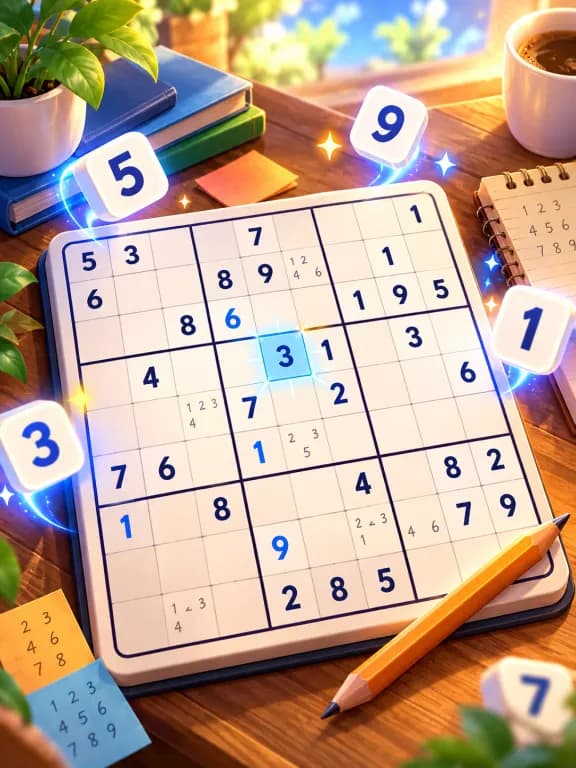



How do you add or remove a pencil mark?
Select the empty square you are thinking about, then switch NOTES on. Tap each candidate digit you want to record. Tapping the same digit again removes that mark. You can keep several notes in one square.
Check the NOTES indicator before entering an answer. If it is still on, tapping 8 toggles a small 8 rather than committing an answer. If it is off, the digit is treated as a normal entry and checked against the puzzle’s solution.
Which numbers should you write down?
Start with 1 to 9 and remove the numbers already present in the square’s row, column and 3×3 box. Record the remaining possibilities. You can begin with a small area rather than covering the whole board with notes immediately.
For example, if your checks leave only 2 and 7, write those two marks. Do not add 8 merely because it would be convenient for a nearby pattern. Notes are useful only if the list reflects the evidence on the board.
The game lets you toggle notes manually. It does not certify that every mark you enter is a legal candidate. If you mistakenly remove the real answer, later deductions can appear contradictory.
When should notes be updated?
After placing a confirmed number, revisit its row, column and box. That number cannot appear elsewhere in those groups. In our implementation, a correct answer automatically removes that digit from neighbouring notes in those three groups.
Other corrections still need your attention. The automatic removal of one placed digit does not prove that all your remaining notes are complete or correct. Recheck candidates when a square seems to have no possible answer.
What do Erase and Undo do?
ERASE clears the selected editable square’s entry and notes. It is useful when you want to rebuild a candidate list. Given clues and correctly filled answers are locked against editing.
UNDO restores the values and notes from a recorded change when an undo is available. A correct placement can affect several notes, so restoring that change can bring those notes back too. Erasing or undoing an entry does not refund a heart already lost to a wrong answer.
When should a note become a full answer?
Commit it when you have a deduction, such as a square with one candidate or a number with only one possible square in a group. Turn NOTES off first. Having a favourite candidate is not the same as proving it.
If your square has 2 and 7 noted and another confirmed 7 appears in its column, 7 can be removed there. If 2 is the only remaining legal candidate after checking the box and row as well, enter 2 as the answer.
Our beginner techniques guide shows original worked examples of these two deductions. For the three basic grid constraints, see Sudoku rules.
A simple routine for your next puzzle
Choose Easy. Pick one empty square, check its three groups, and note only the candidates that remain. Scan a nearby group for a forced placement. After each confirmed answer, look again at the affected notes before moving to a different area.
If you get stuck, review a few notes or return to an easier puzzle rather than spending hearts on trial entries. The aim is to explain each placement. A fast-looking sequence of guesses teaches less than one deduction you understand.
Questions
- Why did a tap add a small number? NOTES is on. Turn it off before entering a confirmed normal-sized answer.
- Does the app generate all candidates for me? This guide describes manual Notes. You choose which marks to enter; correct placements remove their digit from related notes automatically.
- Will erasing a wrong entry restore a heart? No. Erase and Undo affect board values or notes, not the mistake count already charged.